Contacts & events
Address book and calendar, the way you know them.
You maintain contacts and events in views like those of an app – and pass them on to phones, calendar apps and the website. For every detail you decide what becomes public.
Screenshots
Address book, calendar and subscriptions.
Screenshots from a test installation with fictitious content – click to enlarge. Names, numbers and addresses are made up.
-
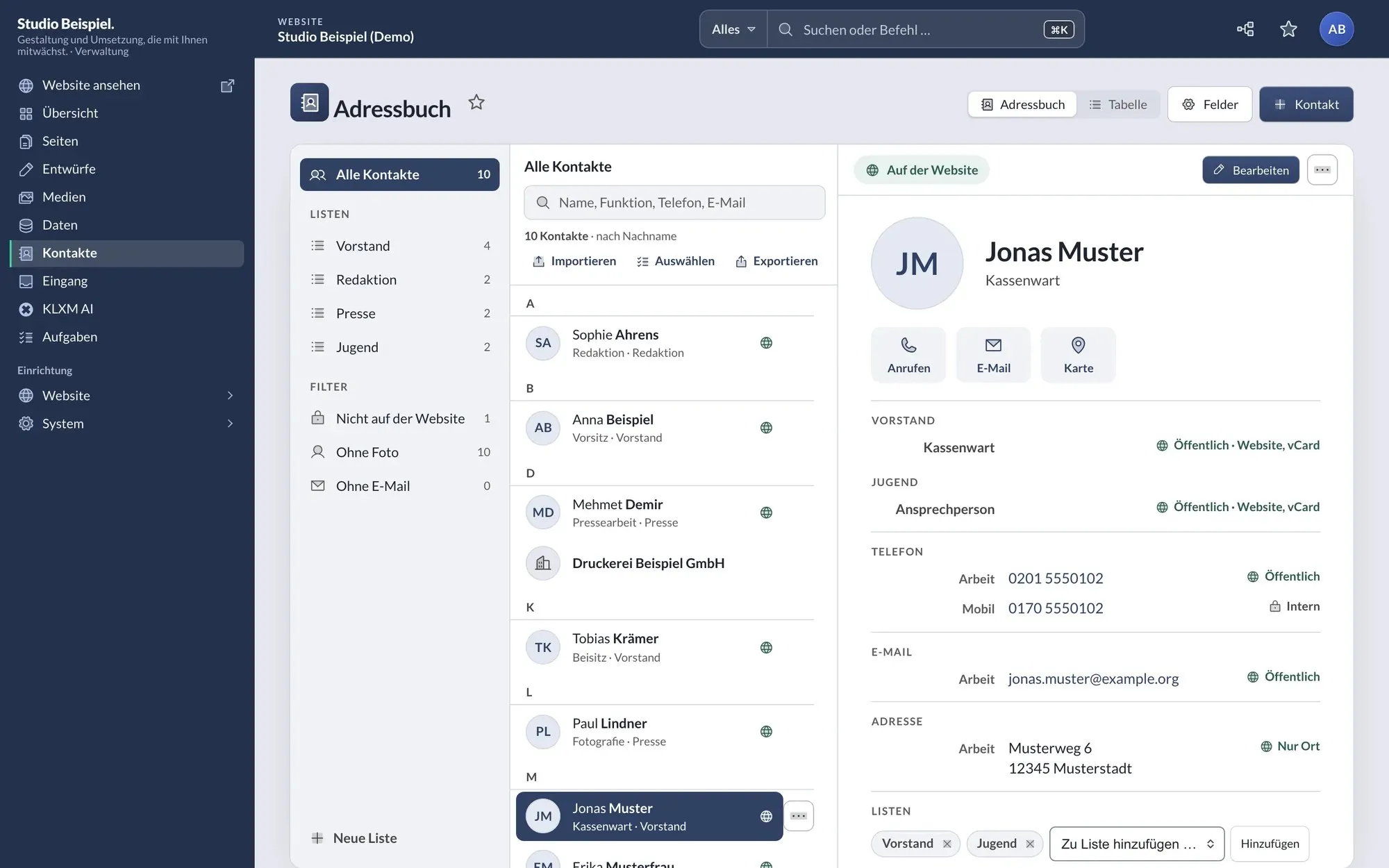
Address book with lists, jump bar and card: roles grouped by board, every detail marked “public” or “internal”. -
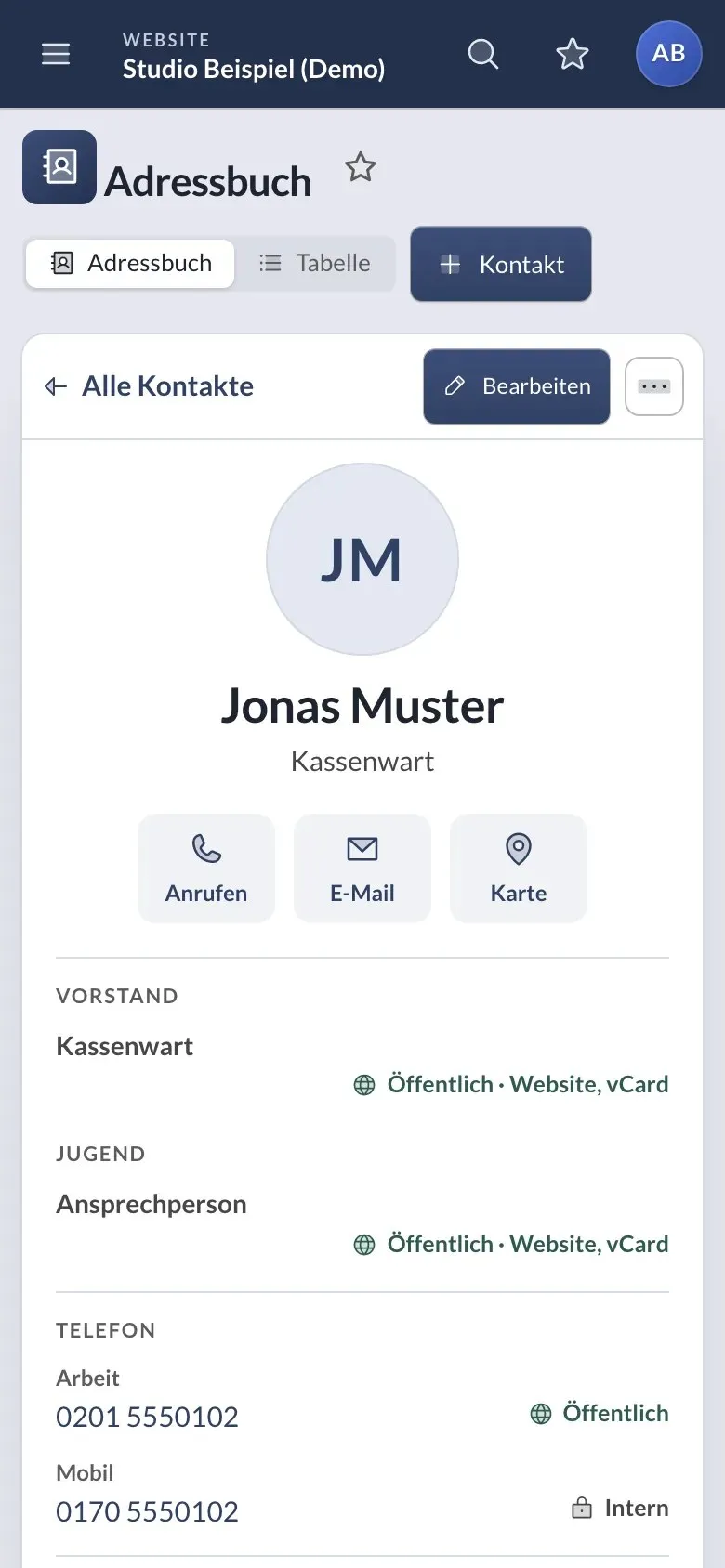
Single column on a phone: list, card, back. -
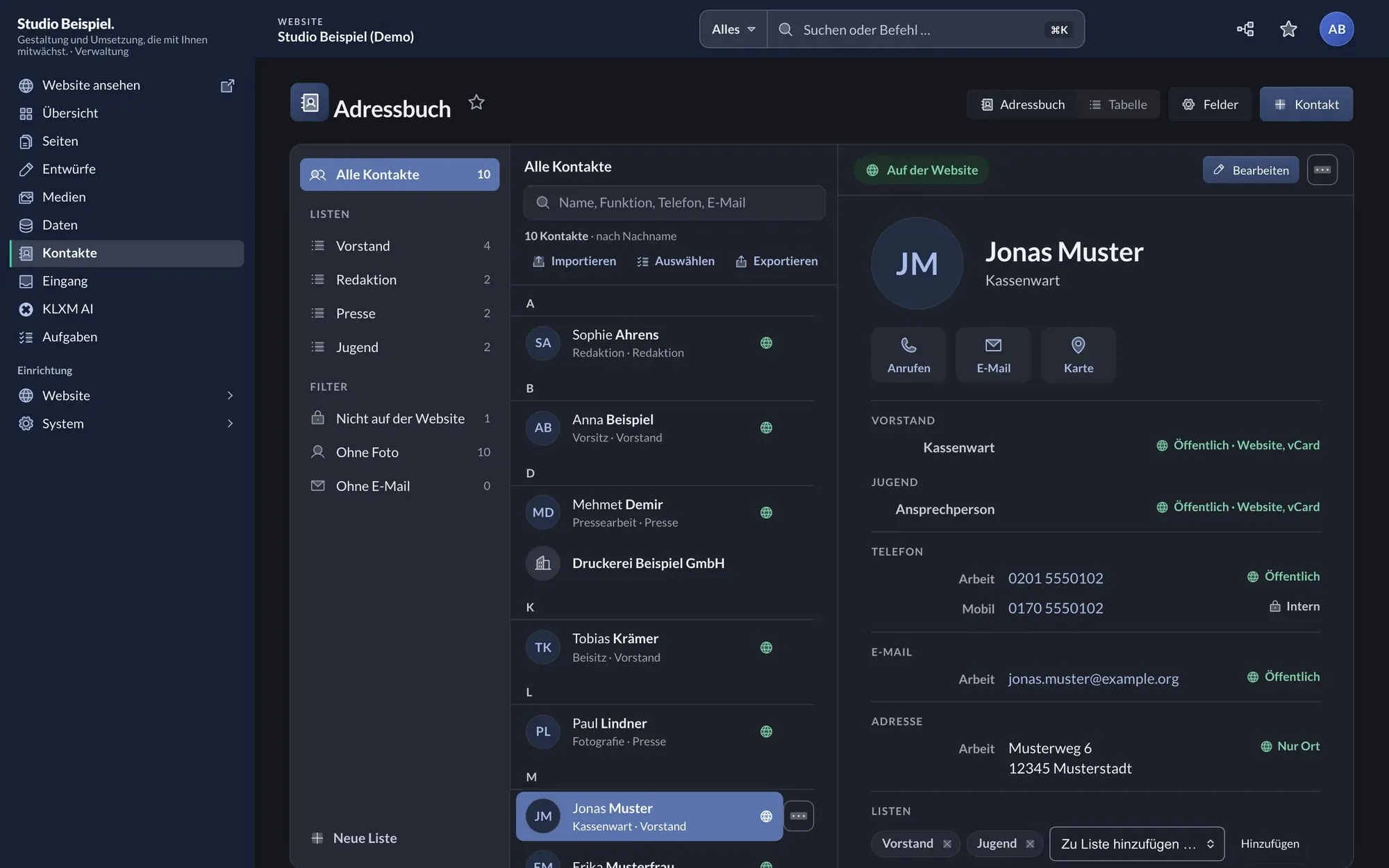
The same address book in dark mode. -
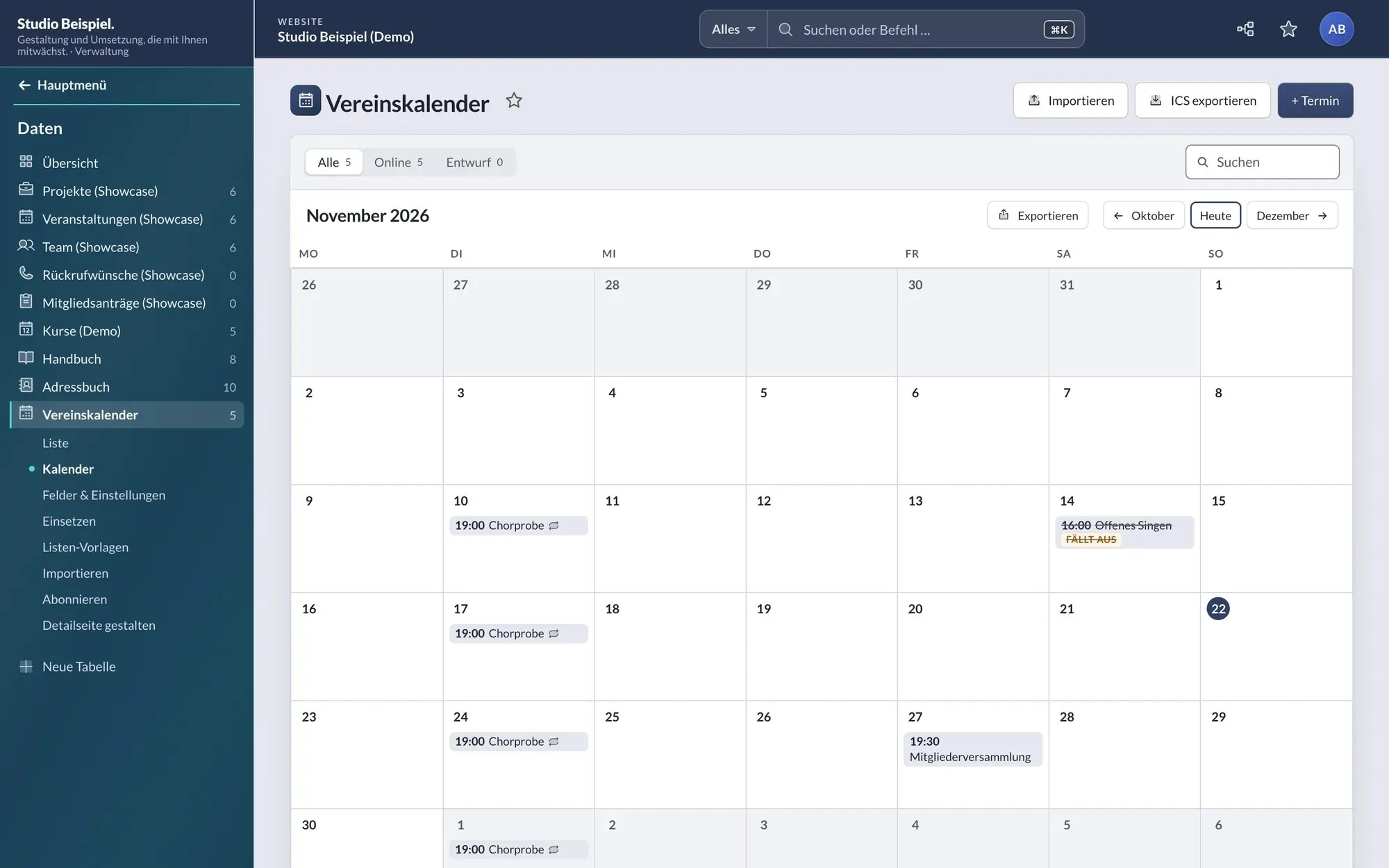
Calendar with a series: the weekly rehearsal, a cancelled event struck through. -
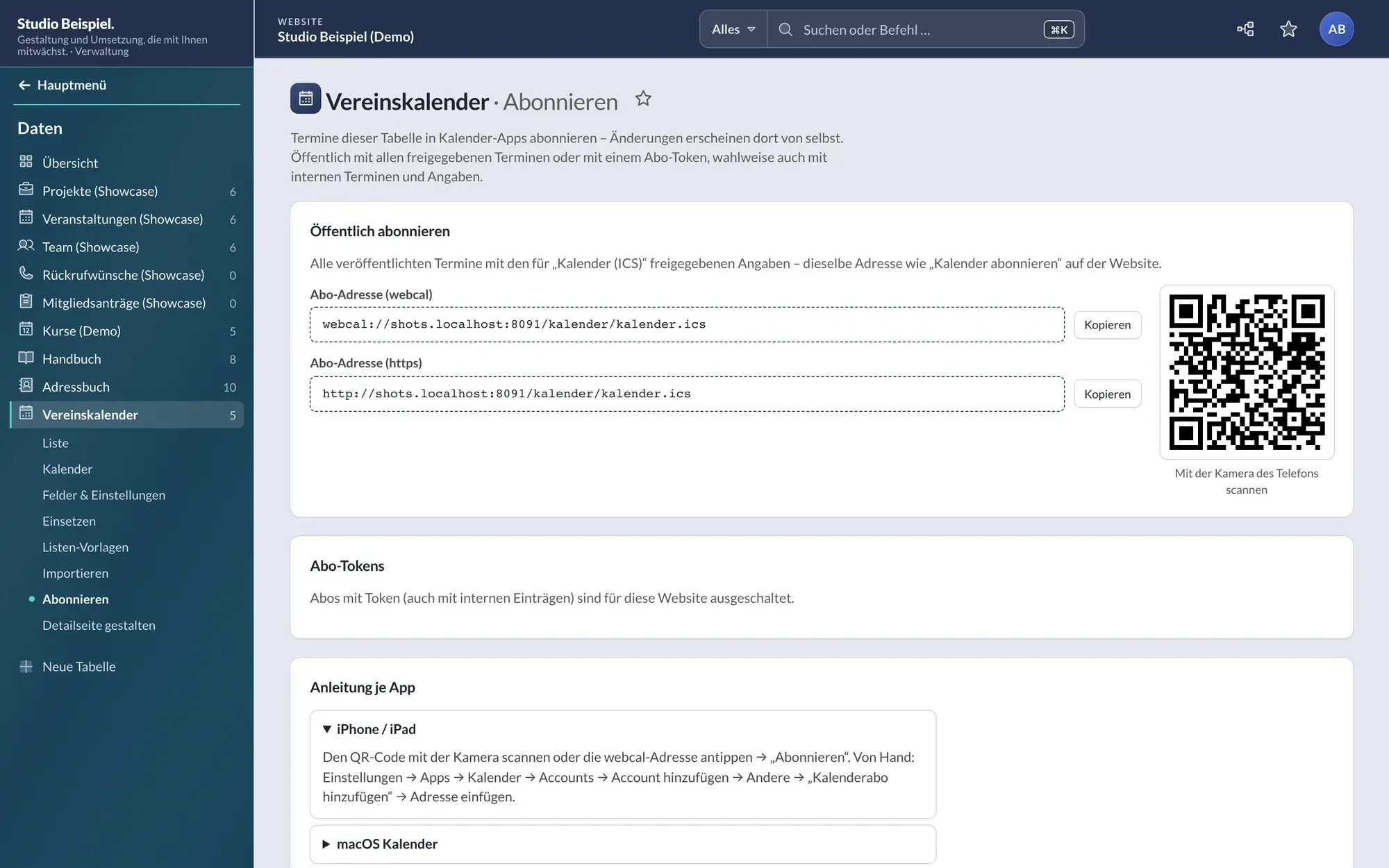
Subscribe: address and QR code for calendar apps, plus instructions per app. -
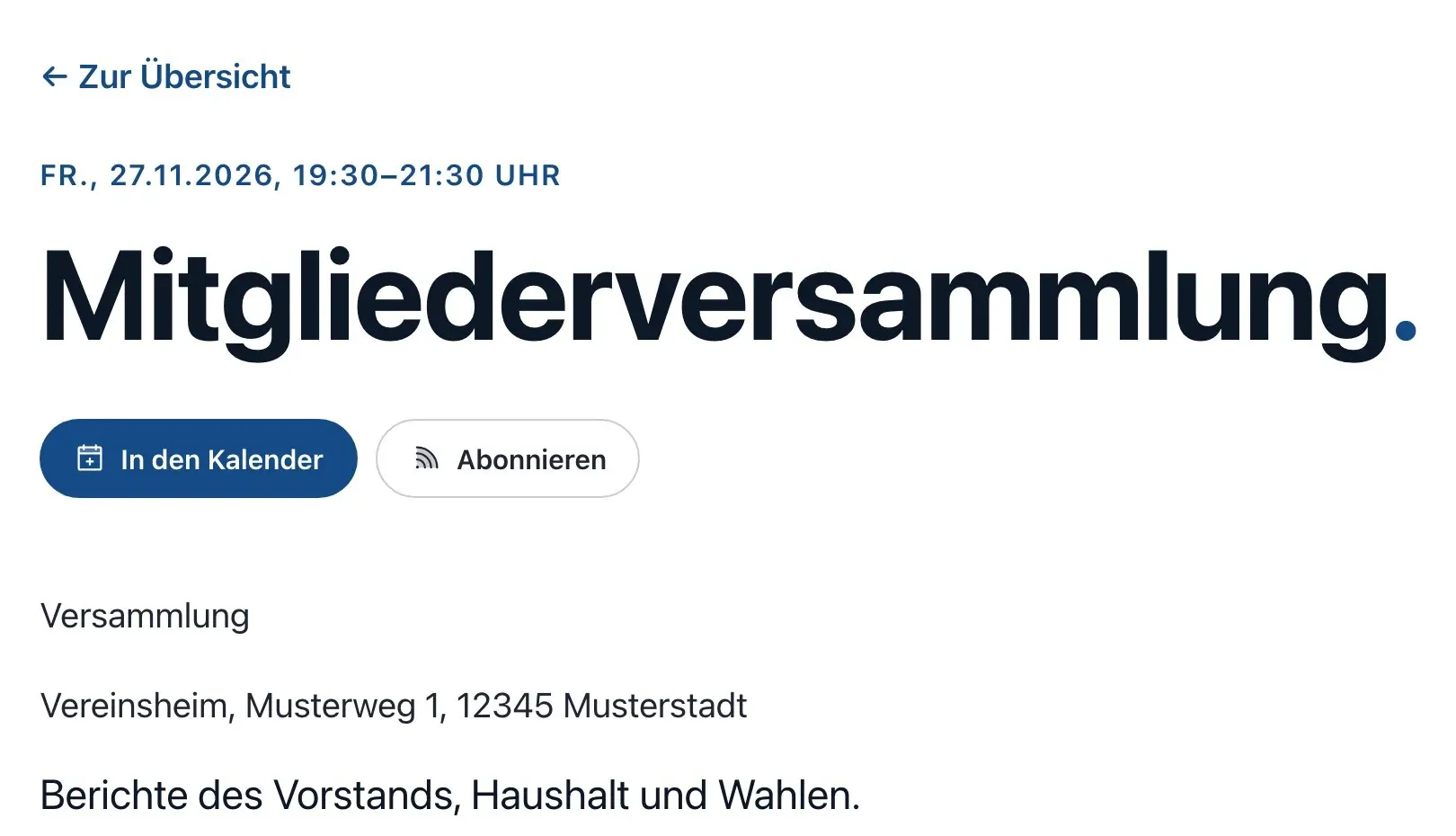
Event detail page with “Add to calendar” and “Subscribe”.
Address book
Contacts like in an app.
-
Address book view
Three columns: lists, names from A to Z with jump bar and search – also by role or phone number –, and on the right the card with call, email and map. Fast even with several thousand contacts; single column on a phone.
-
Several roles per person
Chair of the board, contact person for the youth group: every role with board, link, from/until and order. blockBuilding block of a page, such as text, image, gallery, map or form. You put pages together from blocks; each block has fields for its content and options for its display. show the matching role; ended roles can appear as “former members”.
-
Lists by dragging
Drag contacts onto a list or select several and assign them – without a mouse, too. In Apple Contacts the lists appear as groups.
-
Visibility per field and target
For every detail you decide whether it appears on the website, in the business card or in the calendar file – always, per entry or never. New details are internal.
-
Labelled details
Several phone numbers, email addresses, postal addresses and web addresses per contact, each with a label such as mobile, work or office; addresses optionally with the town only.
-
Converting existing tables
An existing people or events table becomes an address book or calendar in place – with a dry run, report and revert. Links and pages stay.
Calendar
Events with series and places.
-
Series
Recurring events following the standard of calendar apps. Move or cancel single occurrences; when saving, the calendar asks: only this one, this and all following, or all.
-
Places
A table of places supplies address, map point and directions for every event – on the website, in the calendar file and in the JSON-LDFormat for structured data in a page’s code: it tells search engines in machine-readable form what the page is about – such as organisation, event or article (vocabulary of schema.org).developers.google.com (opens in a new tab).
-
Event actions
On an event’s detail page, “Add to calendar” downloads exactly this event and “Subscribe” the whole calendar. Links to Google Calendar and Outlook.com only on request.
-
Cancellations shown
Cancelled events are struck through and marked as cancelled in the admin and on the website, and reach calendar apps and search engines as cancelled.
Exchange
In step with phones and apps.
-
Subscribing via apps
For every calendar and address book a page with address, QR code and instructions for iPhone, Mac, Android, Outlook and Thunderbird. Changes appear in the apps by themselves.
-
Subscription tokens
For internal events and details: named, read-only access bound to one table, optionally expiring and revocable at any time. Only a checksum is stored. Default: off.
-
Import with preview
Drop a vCard file onto the address book or an ICS file onto the calendar: the dry run shows new, changed and unchanged, only “Apply” saves. Importing again updates instead of duplicating.
-
Export
Lists, selections or single contacts as vCard, events as ICS – only the public details or all of them.
-
Taking over other calendars
External sources understand ICS: another calendar is fetched regularly and taken over with series and single occurrences.
-
CalDAV and CardDAV (extension)
With the dav extension you edit contacts and events directly in the apps on phone and computer – series and groups included.
In the network
Federation and clubs share contacts and events.
For installations with several websites: a federation and its regional or local clubs maintain shared address books and calendars. Everything can be switched on per table; default: off.
-
Sharing per entry
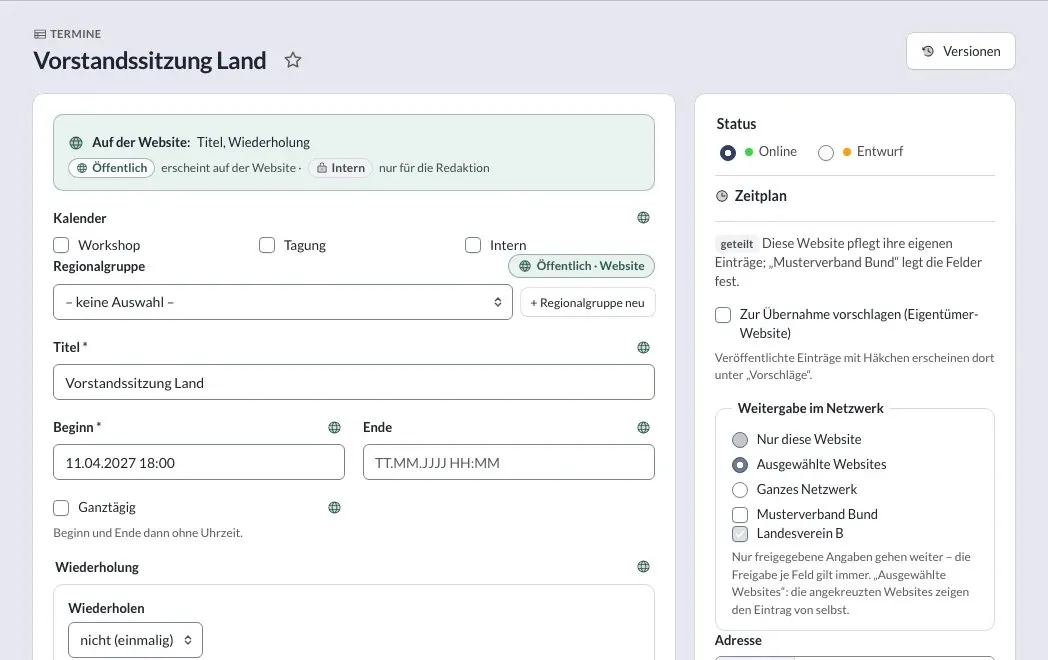
For every contact or event: only this website, selected websites or the whole network. Selected websites show the entry by themselves; every website can hide entries from others.
-
Origin visible
Entries from other websites carry “from …” on the website and their origin in the structured data. Events from calendar subscriptions keep source, organiser and original link and stay read-only – even when shared.
-
One contact, no duplicates
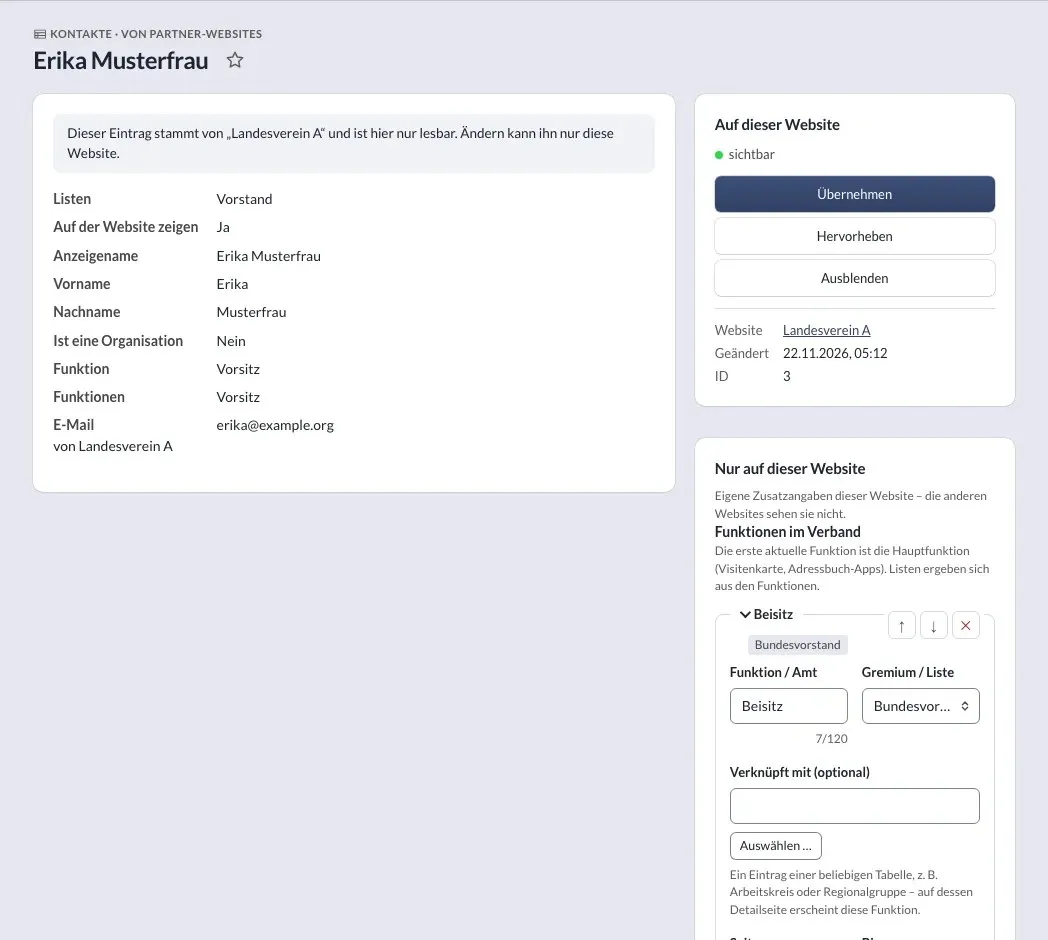
Every website adds its own extra fields, also to entries from others – for example roles per level: chair of the regional club, member of the federal board. The person exists only once.
-
Near you
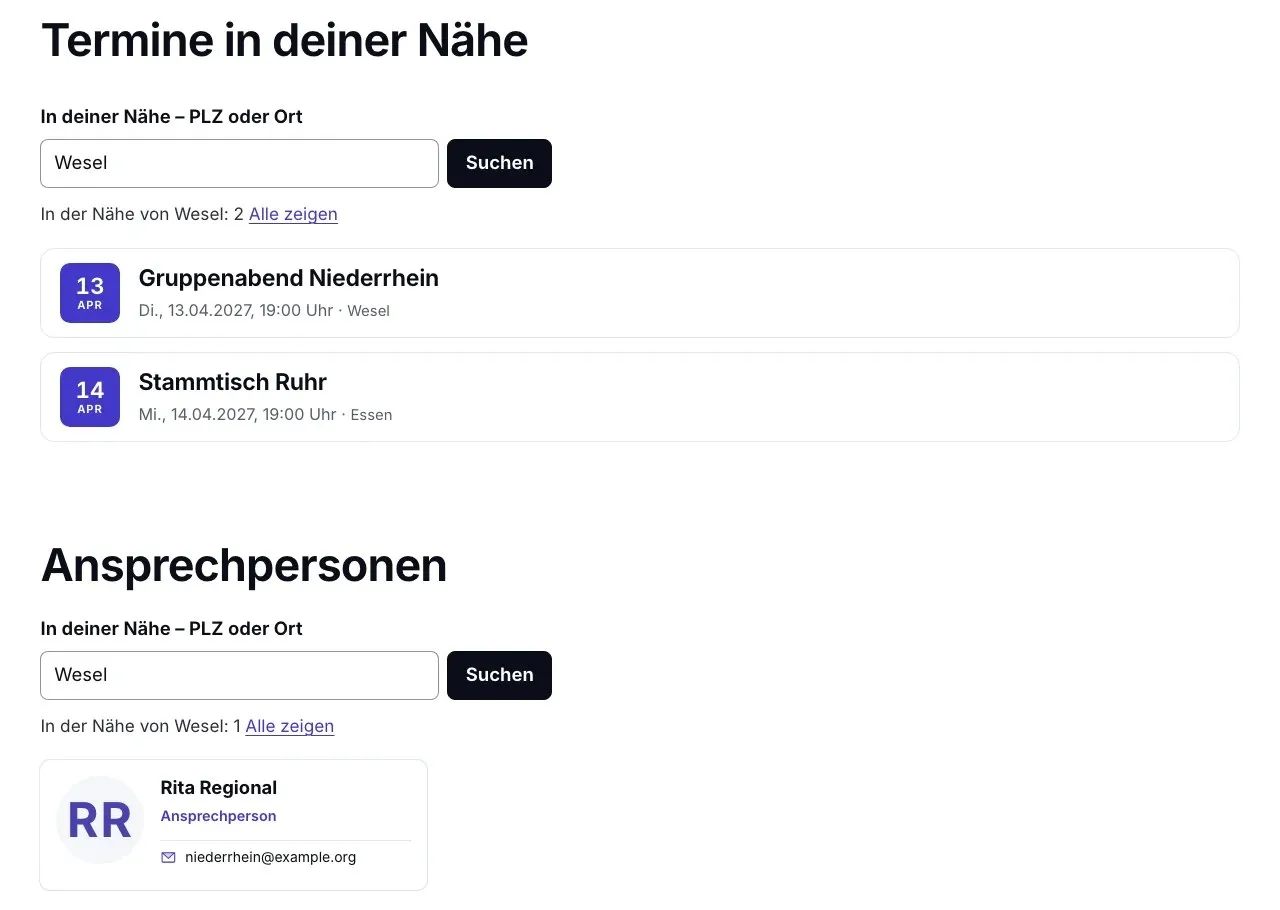
Visitors enter a postcode or place and first see events and contact persons of the responsible area, then nearby ones. With the area maps extension, without any requests to third parties.
-
Joining with a plan
When a website with its own address book joins the network, a plan shows beforehand what will be merged and how duplicates are handled – with a way back via “leave”.
-
Permissions stay
Visibility per field is never widened: other websites only see the public details of foreign entries – on the website, in the admin, via APIApplication programming interface: programs use it to exchange data without the user interface – for example to take over entries from another system.en.wikipedia.org (opens in a new tab), vCard and calendar apps.
Screenshots
Sharing, origin and proximity.
Screenshots from a test setup with three websites and fictitious data – click to enlarge.
-
“Near you”: after entering a place, events and contact persons of the responsible area appear. -
Sharing in the network on an event: only this website, selected websites or the whole network. -
A regional club’s contact at the federation: read-only, plus the federation’s own roles.
Knowledge base
Manuals in chapters.
One more table kind: numbered chapters, search and a sidebar.
Contact
Talk to KLXM Crossmedia.
A demo, use in your project or an extension tailored to your needs – get in touch. We answer personally.
Am Schürmannshütt 40g
47441 Moers
Germany
- Phone
- +49 2841 889998-0
- info@klxm.de
- Website
- klxm.de (opens in a new tab)